
Welcome to The Playbooks AI.
Hey there, thanks for subscribing! The Playbooks AI was started because we are on a mission to help create a billion new builders: people who can use AI to solve real problems at work, in their companies, in school, in creative projects, and in everyday life.
Each week, we will pull out the latest AI developments that matter, explain what it means for you, and give you a practical playbook you can run to get more out of AI.
This first issue is about a pattern that keeps showing up: AI gets useful when it has the right context, connected tools, and a repeatable workflow. This helps you turn AI from a chat box into real leverage. Let's dive in.
- 01Google Search agents can watch recurring questions for you. Instead of checking prices, policies, competitors, sports, or news yourself, describe what matters and let Search alert you when something changes.Search
- 02Google's shopping agent shows what the future of purchasing looks like. Universal Cart can compare options, monitor prices, flag compatibility issues, and prepare purchases inside limits you set.Shopping
- 03Gemini and Workspace are pulling your work context together. Your assistant gets more useful when it can see the inbox, calendar, notes, docs, and tasks that shape your day.Personal AI
- 04ChatGPT Finance makes money questions easier to ask. Plaid-connected accounts can help surface spending patterns and subscriptions, all from the ChatGPT app.Finance
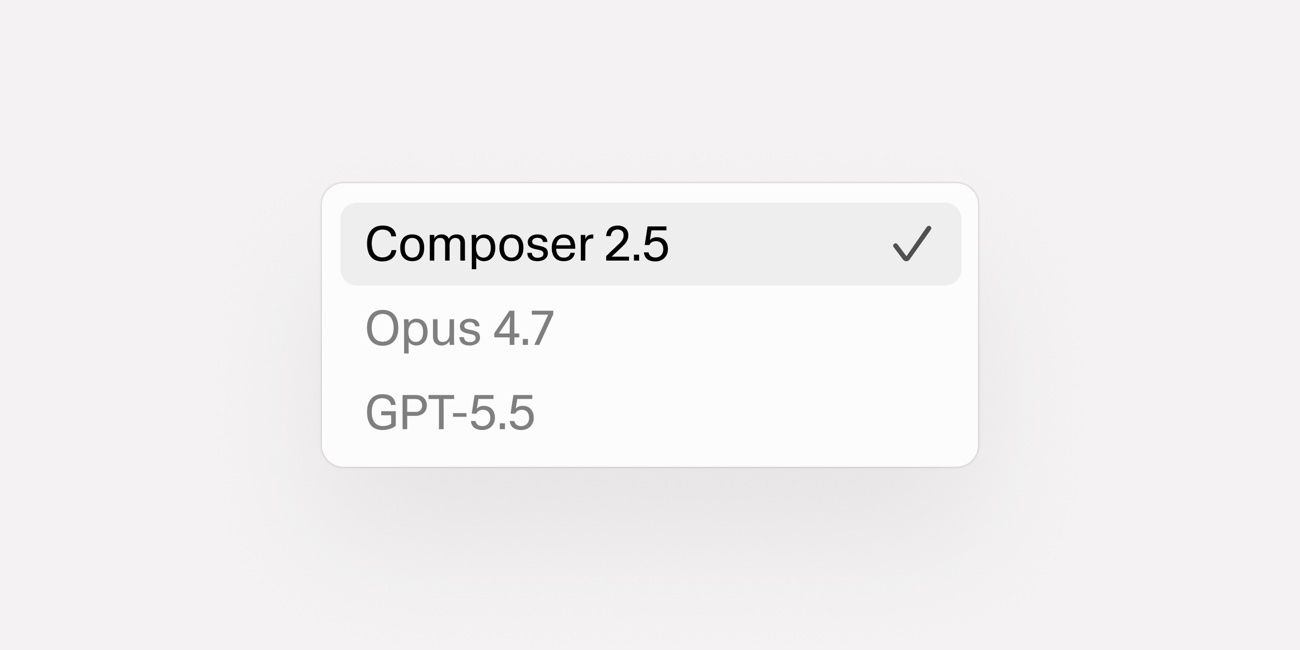
- 05Cursor's new coding model changes the cost conversation. Composer 2.5 standard pricing is roughly 90% lower than GPT-5.5 and Claude Opus 4.7 sticker rates, which makes frontier intelligence more accessible.Coding
- 06Playbook: build a personal AI chief of staff. It is now easier than ever for everyone to get help to organizing their day-to-day, checking emails, messages, and getting briefed on what needs your attention.Playbook
Google Search is turning into an agent workspace.
happened
Google used I/O to show where Search is heading next. AI Mode is rolling out broadly in the U.S., Search Live brings voice conversation into Search, and new information agents can monitor web, news, social, finance, shopping, sports, and other fresh data for changes that match your criteria.
The important part is the recurring work. Instead of typing the same search every few days, you describe what matters, set the conditions, and let the agent watch for the change.
for you
This is useful any time you keep checking the same thing: competitor pricing, grant deadlines, policy changes, product availability, local events, client mentions, or market terms you care about.
You no longer are limited to questions like what is the best option? It is watch this topic with these criteria and tell me when something changes. The complete rollout happens later this summer and will most likely need the Google AI Pro & Ultra subscription to use the full feature set.
When this becomes available here are some ways to leverage it:
For everyday life, think: watch apartment listings that match your budget, commute, and pet rules; track flights or hotel prices; find a dinner reservation, private karaoke room, or local class for a specific date; monitor home repair, beauty, or pet-care availability; or build a simple tracker for a move, wedding, or fitness routine.
For work, think: monitor competitor pricing, new product launches, policy changes, grant or RFP deadlines, client mentions, hiring signals, local market changes, or product availability. The point is to stop manually re-checking the same search and start asking for a synthesized update only when something matches your criteria.
Google's Universal Cart shows what agentic shopping looks like.
happened
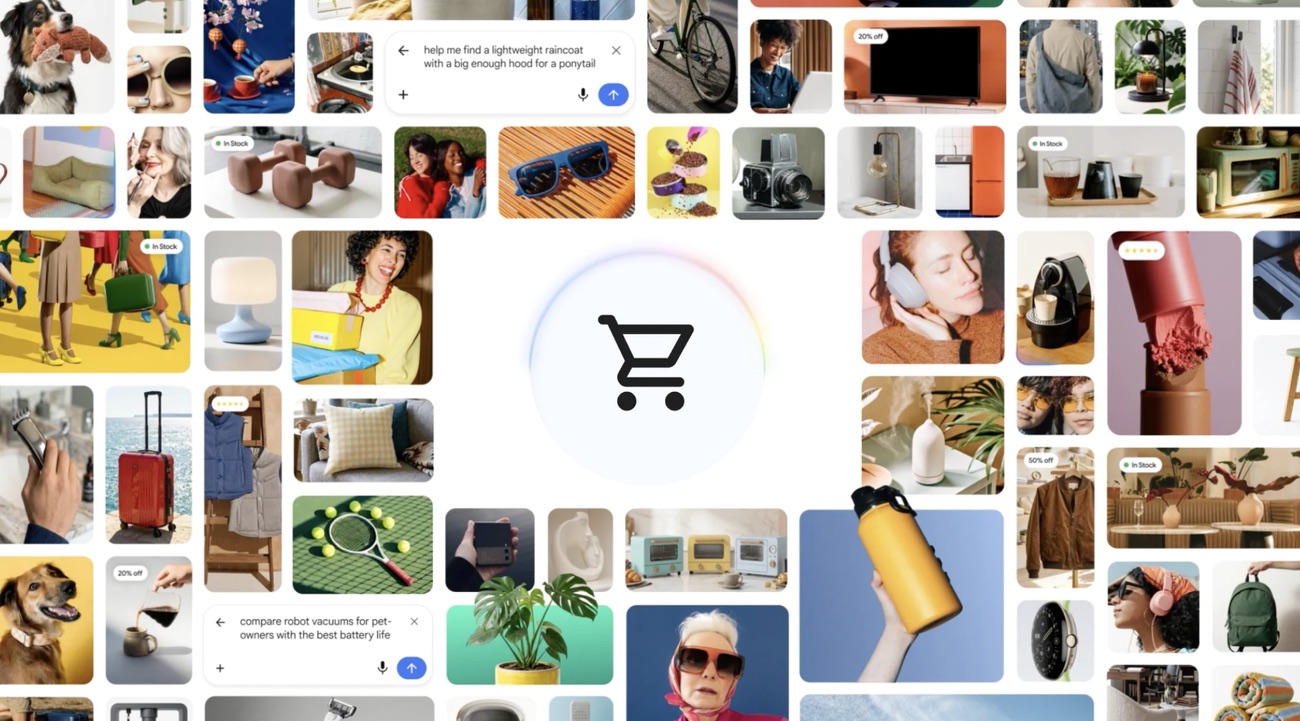
Google also announced Universal Cart, an intelligent shopping cart that works across Search, Gemini, and later YouTube and Gmail. Google says it can find deals and price drops, show price history, alert you when an item is back in stock, and flag product compatibility issues.
Google is also building toward agent payments through AP2, a protocol meant to let agents make purchases only inside boundaries you set, such as product, merchant, and spending limits.
for you
The easy day-to-day use case is a purchase you already understand: add the thing you want, then let the cart work in the background to watch price drops, compare merchants, check price history, find card or loyalty perks, and alert you when something comes back in stock.
The compatibility piece may be even more useful than the discount hunting. If you are building a custom PC or ordering accessories for something you already own, the cart can flag items that do not work together before you waste money on the wrong part.
With advancements like this the cart stops being a passive list and becomes a shopping assistant.
If you sell products or services, pay attention to this too. Your future customer may be an agent comparing price, perks, and availability for a human, not only a human browsing your site, so make things accessible for both.
Gemini and Workspace are aiming at your personal operating layer.
happened
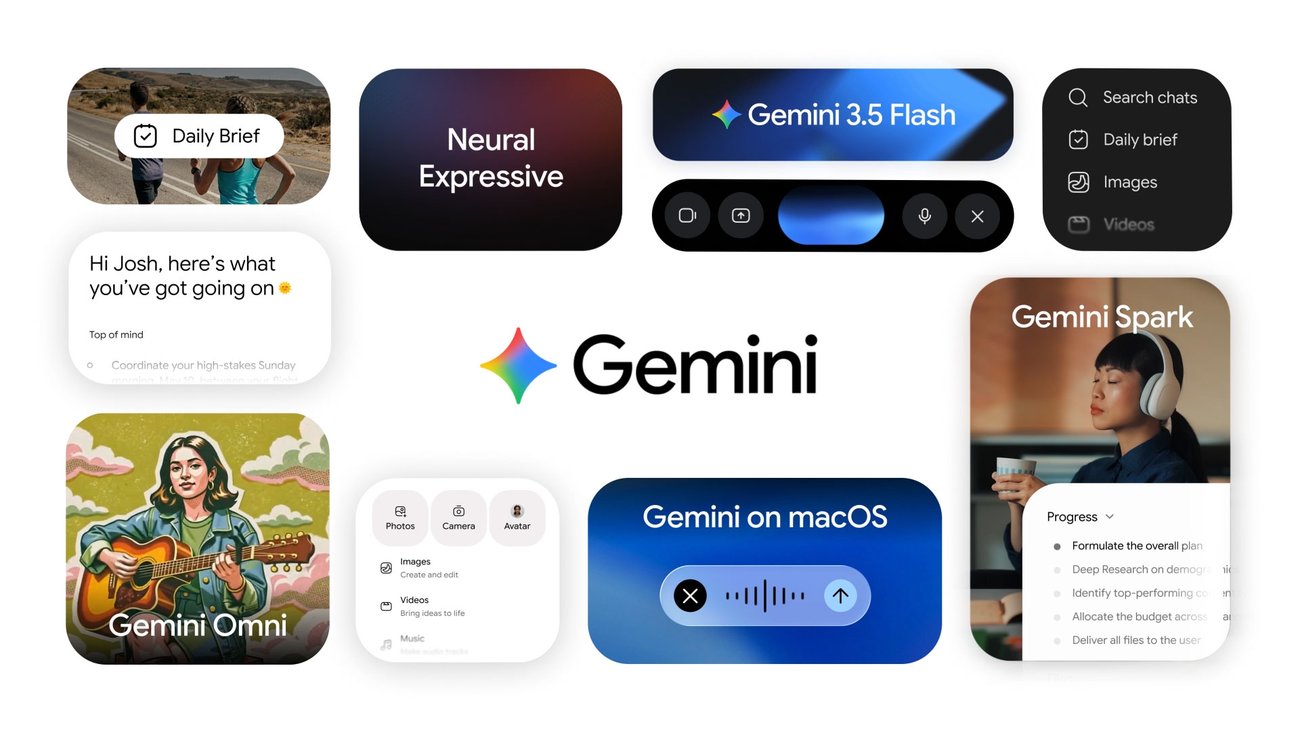
Google's Gemini roadmap includes Daily Brief, Spark, Gemini 3.5 Flash, a refreshed Gemini app, and deeper Workspace integrations. Workspace updates include Gmail Live for conversational inbox search, Docs Live for turning speech into drafts, Google Keep upgrades for notes and lists, AI Inbox, and Gemini Spark integration.
By pulling in context from your calendar, inbox, notes, documents, tasks, voice, and search, everything is being streamlined into one assistant layer.
for you
If your work already lives in Gmail, Drive, Calendar, Docs, and Search, this is very beneficial for you. A model that can see the right inbox thread, calendar conflict, note, or draft can be much more useful than a blank chat window.
The practical move is to inventory the sources that actually shape your week. Calendar, inbox, tasks, docs, notes, and messages are usually enough to start. Connect only what you understand, keep permissions narrow, and make the assistant explain where its answer came from.
The broader pattern is bigger than Google though. OpenClaw, Claude, Codex, and other connected systems all point at the same thing: AI gets valuable when the right data-context layer is made available.
OpenAI moves into personal finance.
happened
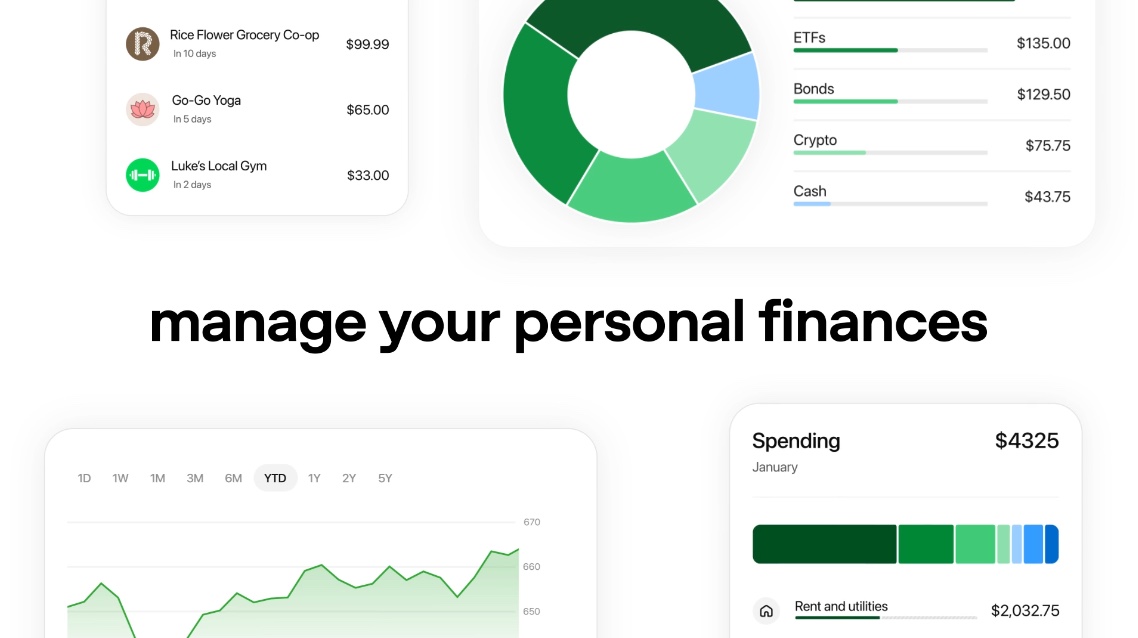
OpenAI launched a preview of a personal finance experience in ChatGPT for Pro users in the U.S. It lets users connect financial accounts through Plaid, view a dashboard, and ask ChatGPT questions grounded in balances, transactions, investments, liabilities, goals, and financial memories.
OpenAI says ChatGPT cannot see full account numbers or make changes to accounts. Users can disconnect accounts, delete financial memories, and use temporary chats that do not access connected financial accounts.
for you
I tested it, and the Plaid connection is what made it feel legitimate. Plaid is the same kind of account-linking layer people already see in finance apps, so the setup felt familiar and pretty seamless.
A useful first session is simple: ask what subscriptions increased, which categories changed, what recurring charges you forgot about, where travel or food spending spiked, and what cash-flow questions you should answer before the end of the month.
As it stands right now, the tradeoff is coverage and trust. Compared with a dedicated app like Monarch, which is useful because it can work with multiple connection providers and leverage a dedicated user interface (UI), ChatGPT Finance is still narrower.
If you do leverage this feature, just make sure that you use MFA, review ChatGPT data controls, and treat this as an insight layer, not a financial advisor.
Cursor Composer 2.5: a new frontier AI model, at a fraction of the cost.
happened
Cursor launched Composer 2.5, a coding model built on Moonshot's Kimi K2.5 checkpoint. Cursor says it is better at sustained long-running tasks, complex instructions, and collaboration behavior. The company also says it is training a larger model with SpaceXAI using 10x more total compute.
The pricing is notable: Cursor lists standard Composer 2.5 at $0.50 per million input tokens and $2.50 per million output tokens, with a faster tier at higher cost. Cursor's May updates also add smarter task lists, docs search, team commands, background agents in the sidebar, and generated commit messages.
for you
The value story is the important one. Based on Cursor's posted standard rate, Composer 2.5 is roughly 90% cheaper on standard input and output rates than OpenAI's GPT-5.5 pricing and Anthropic's Claude Opus 4.7 pricing.
That does not mean you should use it for every coding decision. It means model routing is becoming a real skill. Use cheaper, fast-enough models for bounded fixes, searches, mechanical refactors, generated tests, and background agent loops. Save premium models for ambiguous architecture, security, product judgment, and work where a mistake costs more than the tokens.
This applies to users who leverage Claude Desktop, ChatGPT, etc. For simpler tasks, leverage a cheaper AI model. This allows you to save on your allotted usage, while not sacrificing performance.
Build Your Personal AI Chief of Staff.

happened
This week's news all points in the same direction: AI gets more valuable when it can see useful context and run a repeatable workflow. Google is adding monitors. OpenAI is connecting private finance data. Cursor is making background coding agents more practical.
The lesson is not just that the tools are getting smarter. It is that the tools get more useful when they can work with real sources: your calendar, inbox, tasks, documents, notes, projects, finances, clients, classes, or watchlists.
That is the basis for a personal AI chief of staff. Start by giving an approved assistant a small, read-only set of sources and ask it to produce a recurring brief: what changed, what matters, what needs a decision, who you owe, what is blocked, and what can wait.
for you
For a professional, that could mean a Monday brief that checks your calendar, email, project notes, and team messages. It can tell you what changed, which emails need a response, what coworkers are waiting on, what client work is blocked, and what decisions need your attention.
For an everyday person, it could mean a weekly check across bills, travel plans, school deadlines, appointments, family logistics, and personal goals. Instead of manually digging through every app, you get a short brief that helps you decide what matters next.
Tools like ChatGPT, Claude Desktop, Codex, Gemini, and company-approved assistants can all be useful depending on what sources you are allowed to connect. Start with sources like Gmail or Outlook, Google or Microsoft Calendar, Slack or Teams, Notion or task lists, Drive or OneDrive docs, repo files, or a finance export. Keep it read-only first.
Ask direct questions: Who is waiting on a response from me? What changed in my finances? What meetings, deadlines, or blockers need a decision? What can wait? If the brief helps for two or three runs, then schedule it where your tool supports recurring tasks (Codex, ChatGPT, Claude Desktop all support scheduled tasks).
Build your personal AI chief of staff
- 1.Pick one scope: work, personal, or both. If this is inside a company, follow your company's AI and data policies first.
- 2.Choose 3 to 5 read-only sources. Good options are Gmail or Outlook, Google or Microsoft Calendar, Slack or Teams, Notion or tasks, Drive or OneDrive docs, repo files, or a finance export.
- 3.Connect only the sources your tool supports and you are comfortable using. In ChatGPT, check Settings > Apps. In Codex, check Plugins, and use your workspace, repos, and files.
- 4.Run it manually first. Ask:
what changed, what emails need my response, who is waiting on me, what changed in my finances, what deadlines are coming up, what is blocked, what decisions do I need to make, and what can wait? - 5.Keep it read-only. It can summarize, rank, and draft. It cannot send messages, schedule meetings, spend money, publish, delete, edit records, or contact people unless you approve it first.
- 6.After two or three useful manual runs, schedule it weekly where your tool supports recurring tasks.
See you next week,

Ky Tomita, The Playbooks AI